Select the Tools sub menu.
|

Select the System Tools option.
|

select the Employee Eligible Termination Payment option.
|

Select the New option in the toolbar.
|

Select the required employee from the list displayed.
|
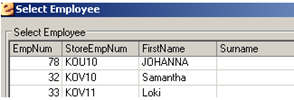
Select the OK button.
|

Enter the exact date the payment is made in the Date of Payment field.
|

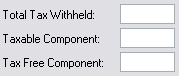
Enter the taxation details for the payment in the Total Tax Withheld, Taxable Component and Tax Free Component fields.
|
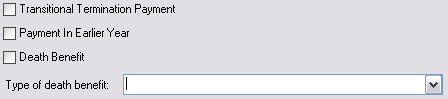
Tick the options that apply to the payment. if you tick the Death Benefit option then you must also select an option from the Type of death benefit list.
|
Select the Save option in the toolbar
|
